




Bonuses and Promotions in Melbet for Users in India
This page covers how Melbet bonuses and promos work for Indian users and practical handling. You’ll see where to find offers in your account, how to claim promotions, what main rules to verify before joining. Info is laid out practically so you can quickly check statuses and terms in your account.
Quick answer about bonuses and how they work
Bonuses and promotions in Melbet are offered with conditions that apply to bets or games after you complete a trigger (for example, registration, a deposit, or entering a promo code). Such offers typically have rules: validity period, wagering/turnover requirements, and restrictions on bets or games — these should be reviewed before activation. Active offers are usually shown in the Promotions/Bonuses area and via in-account notifications.
| Field | Value |
| Brand | Melbet |
| Operator | Pelican Entertainment B.V. |
| Company number | 134359 |
| Licensing authority | Curaçao Gaming Control Board |
| Licence number | OGL/2024/561/0554 |
| Licence status | Licensed |
| Licence grant date | 15/11/2024 |
| Support channels | Live chat (site/account); +44 203 807 7601; [email protected]; [email protected]; [email protected]; [email protected]; [email protected] |
| Verification note | Verify the operator and licence details in the Legal, Licence, or Terms sections inside your account or on the brand’s official legal pages. |
Where to find bonuses and promotions in your account
Which promos you see, plus available currencies and payment methods, can vary for Indian users based on location, account status, chosen settings. Before activating, always check eligibility on promo cards and in the account area.
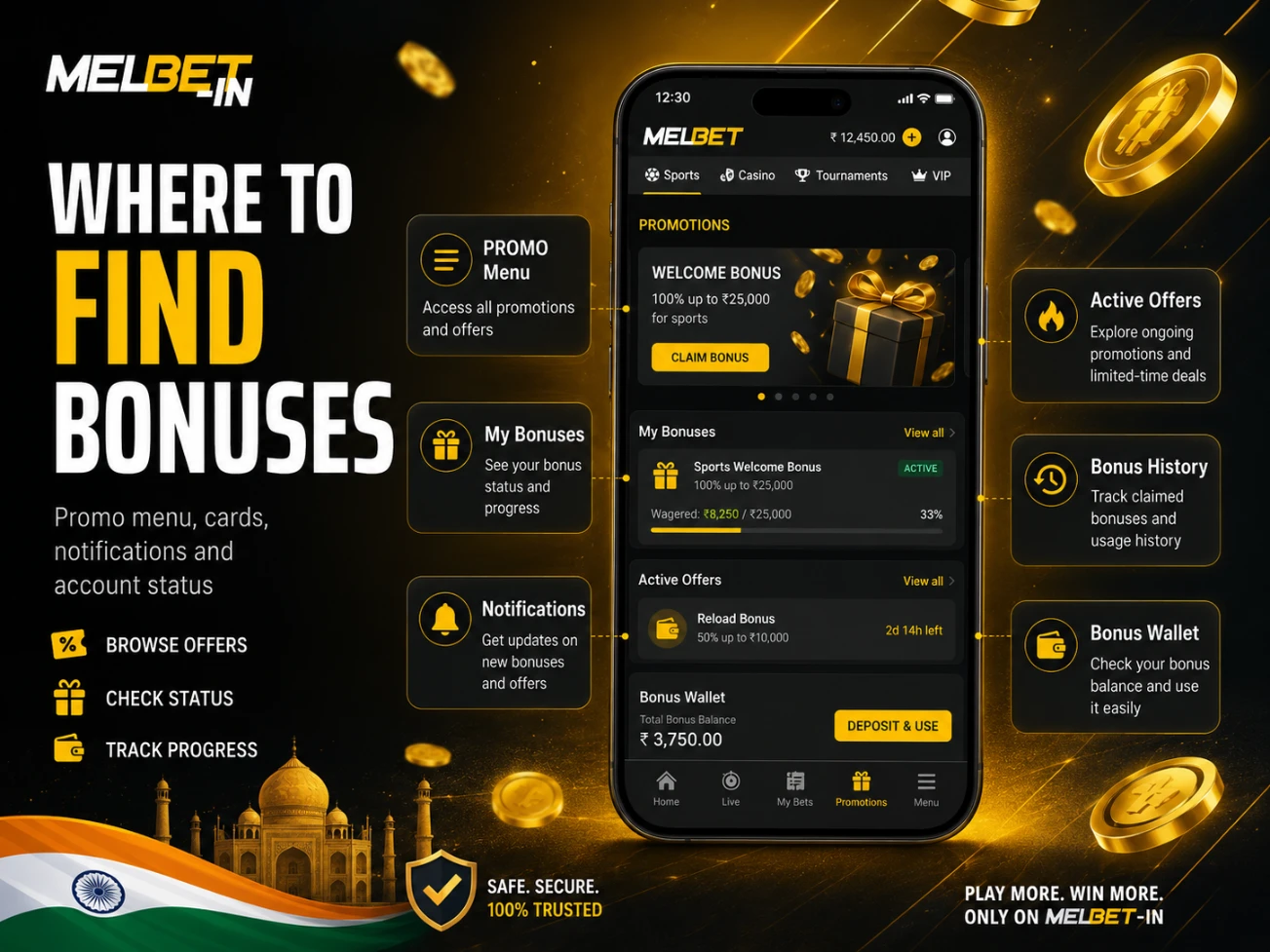
Site sections and notifications
Common interface entry points in Melbet include:
- A PROMO or Bonuses menu section.
- Promo cards grouped by category (sports, casino, tournaments, VIP).
- In-account notifications (banners, system messages), if enabled.
In many interfaces, you may also see sections like “Active bonuses”, “My bonuses”, or “Bonus history”, where active offers, activation timestamps, and current statuses are displayed.
How to confirm a bonus is active
Use the following indicators inside your account:
- The promo has a status (active/applied/in progress/completed/unavailable) and, where available, an activation timestamp in promo history.
- The promo card shows a clear label such as “Activated”, “Applied”, “In progress”, or similar wording.
- Your wallet/balance shows a separate bonus component, or a dedicated “bonus wallet”/mode is enabled where activity is tracked under promo rules.
- The promo card shows rules and progress: a progress bar, completed turnover, remaining time, or a list of active restrictions during the promo period.
- When you attempt to withdraw or cancel, system prompts may warn that a withdrawal can cancel the bonus or that withdrawal is restricted until conditions are met — this can indicate an active promo.
If your interface differs, use the account menu search (if available) and locate Promotions/Bonuses in the account area.
Step-by-step: how to activate a bonus
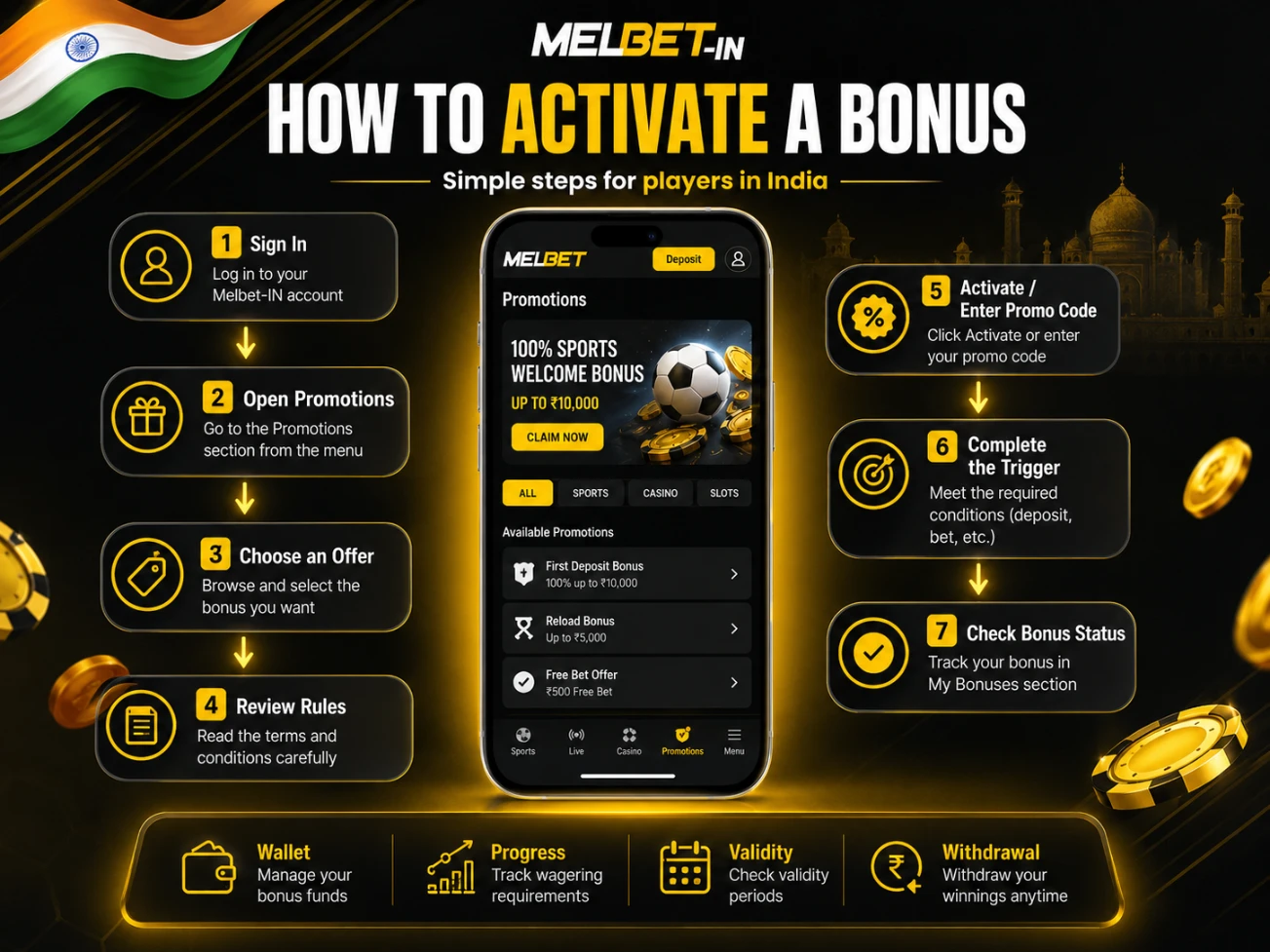
- Sign in
Sign into your Melbet account. Check you’re on right regional site and account settings like language/currency match what you need. Got multiple wallets or profiles? Pick the one you’ll use for promo.
- Open the Promotions/Bonuses area
Find PROMO/Bonuses/Promotions in the menu or account area. Got filter options? Select matching categories such as sports, casino, tournaments, VIP. Reduces chance of activating wrong offer type.
- Choose the specific offer
Open the promo card you intend to use. Check whether it is available for your account and region. If the card shows “Unavailable” or similar, do not proceed — look for eligibility criteria or alternative offers. - Review conditions before activation
Read critical terms: turnover/wagering, time limit, permitted games/betting types, max stake restrictions, withdrawal conditions. Includes compatibility info for using with other promos? Note it. Rule ambiguous? Assume restriction until support clarifies.
- Activate the promo or enter a promo code
Hit the activation button on promo card, or type promo code in the field if it’s code-based. Wait for confirmation message or status change on card. No confirmation showing? Refresh promo section and check status again.
- Complete the trigger action
Do whatever triggers the bonus – deposit, qualifying bet, tournament signup, etc. Follow any requirements about payment method or activity type from promo rules. Time limit mentioned? Complete it within that window.
- Verify crediting and wallet status
Look at your wallet/balance to see if bonus shows separately or bonus mode is on. Open promo card and confirm status changed to active/in progress. Bonus didn’t credit? Recheck trigger requirements and promo validity dates.
- Track progress and avoid restricted actions
Keep eye on wagering progression if shown and adhere to bet amount restrictions, type requirements, game eligibility. Note promo name, activation moment, current status for support purposes. Don’t change promos mid-completion unless rules specifically allow.
- Recheck withdrawal implications before withdrawing
Before cashing out, check promo rules and see how withdrawals affect bonus and progress. Some promos cancel when you withdraw or block cashouts until requirements are met. Rule unclear? Ask support before requesting withdrawal.
Key conditions to check before activation
Wagering and game/bet contribution
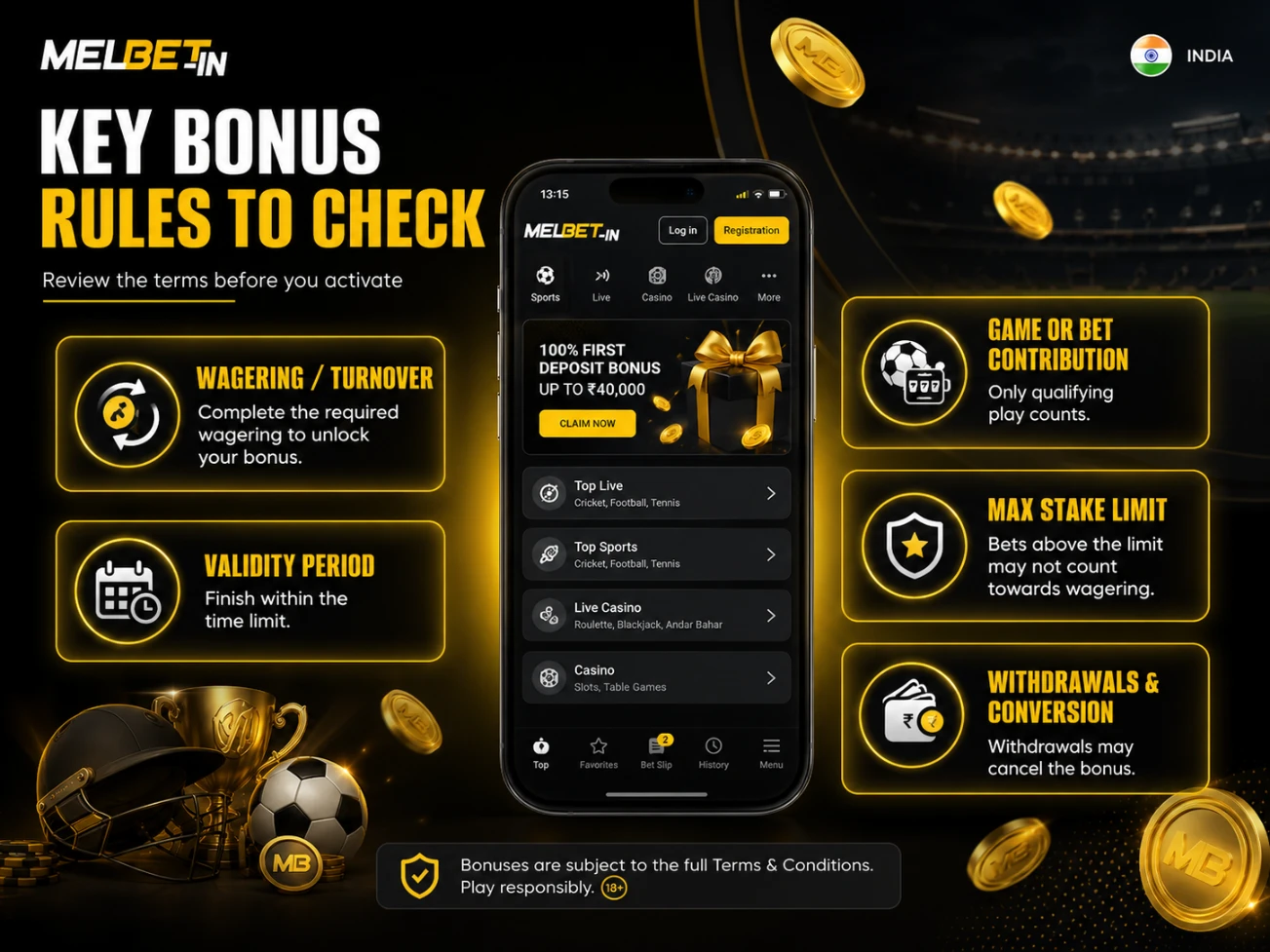
Wagering (turnover) is the requirement to place a certain volume of bets or play-through so a bonus can be withdrawn or converted under the promo rules. Many promos also define contribution: which games, markets, or bet types count fully, partially, or not at all. Practically, this means progress can move at different speeds depending on what you play or bet on, and some activity may not count. Confirm which actions actually advance progress so you do not spend time on zero-contribution activity.
Validity period and completion window
Most promos include a deadline: an activation window and/or a time limit to complete requirements. If the deadline expires, the bonus and associated bonus component can be cancelled and progress may be reset under the promo rules. The operational risk is that partial progress may not be preserved after expiry. Always confirm dates and time limits in the promo card and its rules.
Maximum stake and restrictions
Promos often set a maximum stake during the bonus period and restrict certain markets, outcomes, games, or betting formats. This is commonly enforced as a hard threshold: exceeding it can be treated as a rules breach and may lead to cancellation or recalculation under promo rules. In practice, define a safe stake range within the stated limit and keep it consistent until requirements are completed. Also check promo compatibility: some offers cannot be combined, and enabling another promo can change or cancel the current bonus status.
Withdrawals and converting bonus to real funds
Before starting, know how withdrawals work with active bonus: does cashout cancel promo, can you manually cancel, are withdrawals blocked till requirements done, when bonus funds become withdrawable. Main risk is withdrawal request or wallet transfer can change promo status and lose bonus or stop progress. Always check specific promo withdrawal rules and current status in account.
When a bonus can be cancelled
Bonus and promo status is applied under Melbet rules and the conditions of the specific offer, as well as the Legal, Licence, and Terms policies that apply to your account.
Region or eligibility mismatch
- What it means: The promo may not apply to accounts with certain region, currency, or account status settings.
- How to avoid: Confirm the promo is shown as eligible for your account before activation.
Multiple accounts or re-registration
- What it means: Creating more than one account to receive promos is typically treated as a rules breach.
- How to avoid: Use a single account and recover access rather than creating a new profile.
Verification not completed
- What it means: If KYC is requested, withdrawals and/or bonuses can be limited until verification is completed.
- How to avoid: Submit requested documents and complete verification within the stated timeframe.
Maximum stake rule breached
- What it means: Stakes above the allowed limit during an active promo may lead to cancellation or recalculation.
- How to avoid: Identify the maximum stake rule for that promo and stay within it consistently.
Restricted markets or bet types used
- What it means: Certain markets/outcomes/bet formats may be restricted or may not count toward requirements.
- How to avoid: Check exclusions and restrictions in the promo rules before placing bets.
Excluded games or game modes used
- What it means: Some games/providers/modes may have reduced or zero contribution, or be fully excluded.
- How to avoid: Confirm game contribution rules and exclusions in the promo conditions.
Suspected bonus abuse patterns
- What it means: Activity that appears to exploit promo rules can trigger cancellation under internal policies.
- How to avoid: Follow promo rules strictly and keep clear records; contact support if you believe a decision is incorrect.
Deposit reversal or payment disputes
- What it means: If a deposit is declined, reversed, or disputed, the linked bonus can be cancelled.
- How to avoid: Use valid payment methods and understand the implications before disputing payments.
Manual bonus cancellation by the user
- What it means: If you cancel a promo (when this option exists), bonus funds and progress may be removed.
- How to avoid: Review the consequences for your balance and withdrawal eligibility before cancelling.
Promo incompatibility with another active offer
- What it means: Some promos cannot run together; activating a second offer can disable the first.
- How to avoid: Check compatibility rules in the promo card and keep only the promo you are actively completing.
Minimum activity parameters not met
- What it means: Some promos require minimum criteria (bet format, qualifying activity, or other parameters); activity below the threshold may not count or can invalidate the promo.
- How to avoid: Confirm minimum requirements in the promo rules and operate strictly within those parameters.
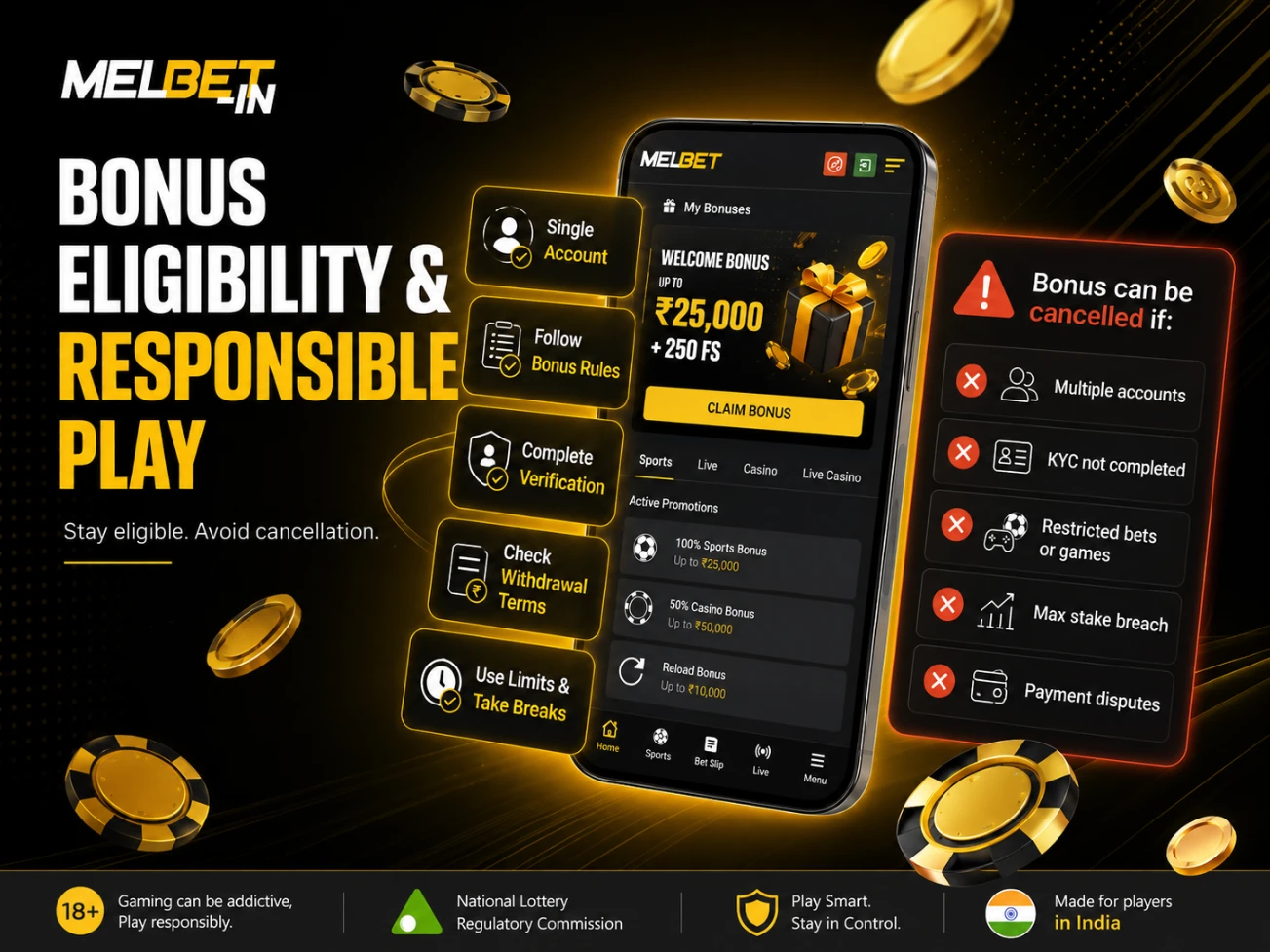
Table of bonus types and conditions
| Bonus type | Trigger | Key conditions | Restrictions | When it is cancelled |
| Welcome bonus for sports deposit | First deposit after registration | Turnover requirements depend on the offer rules | Maximum stake and market restrictions depend on the offer | Expired; limits breached; multiple accounts |
| Welcome bonus for casino deposit | First deposit after registration | Wagering and contribution rules depend on the offer | Certain games/slots may be excluded | Expired; exclusions breached; verification pending |
| Reload bonus | Deposit during a promo period | Turnover requirements depend on the offer | Payment method limitations may apply | Deposit reversed/disputed; expired |
| Promo code offer | Entering a promo code | Single-use and eligibility depend on the offer | Often not combinable with other promos | Code expired; trigger not met; rules breached |
| Cashback promo | Activity over a period | Calculation method and period depend on the offer | Credit caps may apply | Rules breached; cancelled under offer terms |
| Free bet | Completing promo conditions | Usage rules depend on the offer | Market/odds restrictions may apply | Expired; restrictions breached; bonus cancelled |
| Free spins | Activating a casino promo | Win handling and conversion depend on the offer | Limited to eligible slots/providers | Expired; slot unavailable; eligibility mismatch |
| Bet insurance promo | Participating in a promo | Refund rules depend on the offer | Outcome/bet-type restrictions may apply | Non-qualifying bet; promo period ended |
| Accumulator promo | Placing an accumulator meeting criteria | Minimum accumulator criteria depend on the offer | Events/markets may be excluded | Criteria not met; rules breached |
| Tournaments and leaderboards | Registration and participation | Scoring rules depend on the offer | Account/game eligibility limits may apply | Disqualification; multiple accounts |
| VIP promos and personal offers | Account status/activity | Access criteria and rules depend on the offer | Personalized restrictions may apply | Status changes; rules breached; expired |
| Referral promo | Invitee completes qualifying steps | Qualification rules depend on the offer | Relationship/duplicate-account checks may apply | Suspected scheme; duplicate accounts |
| Seasonal campaigns | Campaign-specific conditions | Dates and rules depend on the campaign | Compatibility varies by campaign | Expired; campaign ended; conditions not met |
Responsible play
Bonuses and promotions are not a way to guarantee outcomes and always come with conditions. Before participating, set a budget, use deposit/time limits, and take breaks as needed. Use self-limitation or self-exclusion tools if you notice loss of control. If an offer’s conditions push you toward unwanted risk levels, it is reasonable to skip the promo or cancel it where cancellation is available.
Bonuses and Promotions in Melbet FAQ
Usually, the bonus component requires completing conditions (for example, turnover) or conversion under the specific promo rules. The exact withdrawal path is always defined in the offer terms shown in your account.
Common causes include expiry, an unmet trigger, a rules breach (maximum stake, restricted markets/games), or an account status change (for example, verification requested). Check the promo status and promo history in your account area.
Wagering (turnover) is the required amount of betting or play-through needed before bonus funds can be withdrawn or converted under the promo rules. Requirements can differ between sports and casino offers.
Restrictions commonly apply to certain markets, outcomes, bet formats, or qualifying thresholds. The exact list depends on the specific offer rules shown in the promo card.
Sometimes cancellation is available, but it often removes the bonus component and resets progress. Before cancelling, check what happens to your balance and withdrawal availability.
The validity period is stated in the promo card and in the offer rules in your account. In many interfaces it can also be visible in “My bonuses” or “Bonus history” together with current status and remaining time. If you cannot see dates, open the full promo terms inside the account area.
Most often, your activity has zero or reduced contribution, you used an excluded game/market, or you did not meet minimum qualifying criteria for the promo. Open the offer rules, review contributions and exclusions, and compare them to the actions you performed.
In many promos, withdrawing before completing requirements cancels the bonus and removes the bonus component, or triggers a recalculation under the promo rules. Before withdrawing, review the offer’s withdrawal section and your current promo status.
Promo codes commonly have limits: single-use, expiry, and eligibility restrictions. Review the promo code rules in your account before applying it again.
Collect details about the promo (name, activation time, trigger completed, status, and screenshots) and contact Melbet support. For bonus disputes, use the same support channel listed in the “Melbet brand passport” section and keep your account ID and any promo identifier shown in the promo card.